
Production Bug Hunter
Fix the production errors nobody reported yet
Factorik's Production Bug Hunter needs no bug report. On a schedule you set, it reads your error tracker and server logs, picks the one bug hurting users most, reproduces it with a failing test, fixes the cause and opens a pull request. When the fix is too large, it leaves a proposal instead.
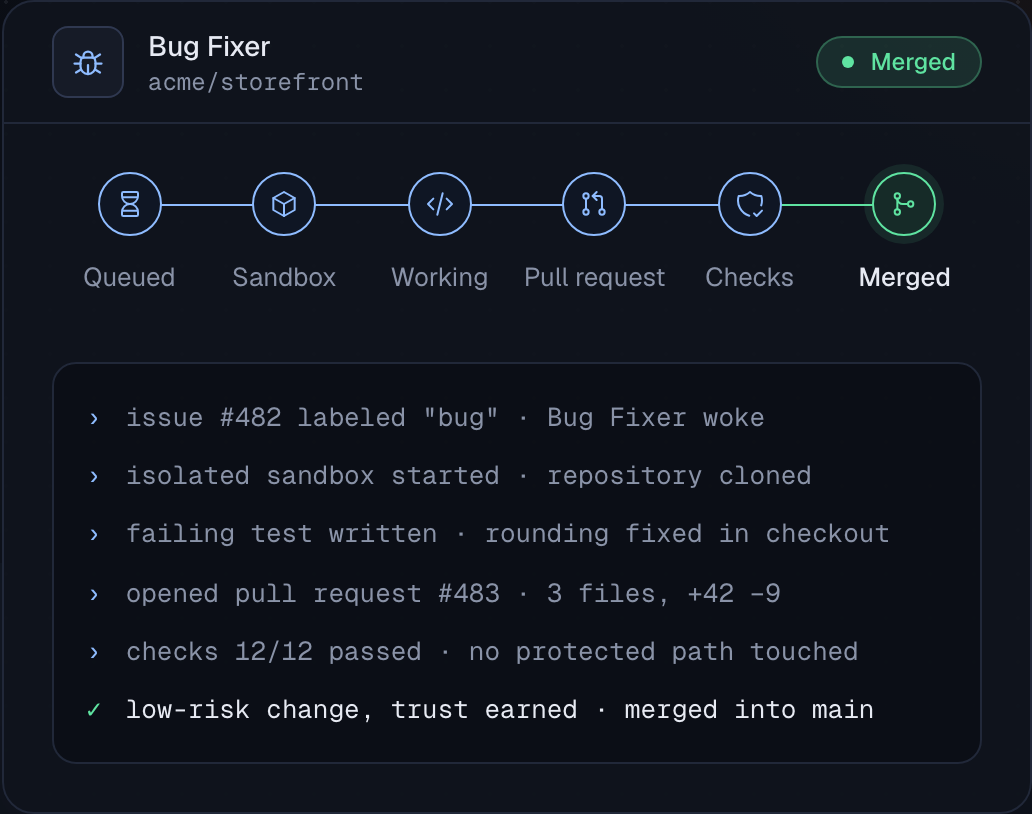
From an error in production to a pull request, step by step
1. The schedule wakes it
Nobody hands it a bug. The agent runs on the schedule you choose, with a standing task such as: check production, pick the bug hurting users most that nobody has dealt with, and fix it if the fix is small or medium.
2. It checks it can see production
It needs at least an error tracker or server logs. Without either, it does not guess from the code: the run ends blocked and says which tools it needs.
3. It looks at what production is doing
New errors, errors whose rate is climbing and errors hitting the most users, with the release each one started in. Failed requests, timeouts and warnings that repeat. A read-only database shows how many records or customers are really affected, and session replay shows what users went through.
4. It chooses one bug
It ranks what it found by harm: how many users, how often and how badly. Lost money or data and blocked work outrank a cosmetic glitch. It drops what it already fixed or set aside, noise such as bots and cancelled requests, and errors from an old release that have stopped.
5. It reproduces the bug and fixes the cause
It follows the evidence into the code and the git history around the release where the error began, writes a test that fails for the same reason production does, and changes the code in the place every affected path goes through. The project's tests, type checks and linter must pass.
6. Factorik opens the pull request
The pull request leads with the impact it measured, then the cause and the fix. A person merges it, or Factorik does once the agent has earned that level and your merge policy allows it. Bugs it saw and did not pick are listed, so they are not lost.
Production errors, handled two ways
| Step | By hand | With the Production Bug Hunter |
|---|---|---|
| What gets looked at | Whatever crosses an alert threshold | The error tracker and logs, every run |
| Which bug comes first | Whoever shouts loudest | The one hurting the most users, most often, most badly |
| How the cause is shown | A guess from a stack trace | A test that fails the way production fails, then passes |
| Fixes too large for one change | Started, then stalled | A proposal with the cause and evidence, for a person to decide |
| Who merges | A person | A person, until the agent earns more and your merge policy allows it |
What it will not do, on purpose
Start a large fix
A migration, a change to a public API or to what is stored, a new dependency, or a product decision: it does not start it. It finishes with a proposal holding the cause and the evidence, and a person chooses whether it gets built.
Fix two bugs at once
One bug per run keeps every pull request small enough to review properly. The others it found are named in its report for a later run or for a person.
Repair production data
When a bug left bad data behind, it says how many records are affected and what the repair should be. Changing production data stays with your team.
Invent work
When nothing that remains is a real bug in your code, production is healthy as far as it can see. It changes nothing and says what it checked.
Safe by design, not by promise
The agent reads production through the tools you grant it, such as your error tracker, logs, a read-only database and session replay. Their credentials stay on Factorik's server, and every call goes through a gateway that records it.
The sandbox never writes to GitHub. It gets a short-lived token that can only read one repository; what the agent changed is published by Factorik as one commit on a branch Factorik names, never force-pushed and never straight onto the default branch.
Every agent starts at the first level: it opens pull requests and a person merges them. It earns the right to merge low-risk changes on its record, and any problem traced to one of its merged changes moves it down a level at once. Mark a fix to watch and a Change Watcher checks production after it merges.
Questions about the Production Bug Hunter
Which tools does it need?
At least an error tracker or server logs; without one of them the run ends blocked. It works best with an error tracker such as Sentry, logs such as Datadog, a read-only database and session replay or product analytics such as PostHog. You grant each tool to the agent in Factorik.
How is it different from the Bug Fixer?
The Bug Fixer waits for your team to label an issue bug and fixes that report. The Production Bug Hunter needs no report: it looks at production on a schedule and picks the bug itself. Many teams run both.
How does it avoid fixing the same bug twice?
Every run reads what the agent did recently: what it fixed, what is waiting in a pull request and what it investigated and set aside. It skips those and takes the next bug.
How often does it run?
On the schedule you set in its trigger: how often it repeats, the time zone and the days of the week. You can also press Run now on the agent page and give it a task, such as one error to look at.
What happens when the fix is too large?
It changes nothing and leaves a proposal with the cause, the evidence and the fix it recommends. A person decides whether it gets built, replies to have it revised, or turns it down.
Will it merge its own fixes?
Not at first. A person merges its pull requests until its record earns it more, and even then only what your repository's merge policy allows. Factorik works with GitHub repositories.
Let an agent work through your error tracker
Free for 7 days on the Team plan. No payment details needed.